San Francisco City by the Bay Shadow Box Guide
There is a unique satisfaction in transforming a flat sheet of paper into a three-dimensional scene that tells a story. For crafters who love architectural details and iconic cityscapes, the San Francisco City by the Bay Shadow Box offers a perfect blend of challenge and reward. This isn't just a simple cut-and-paste project; it is a layered experience designed to bring the foggy hills and historic charm of San Francisco into your home or studio. Whether you are a seasoned papercutting professional or someone picking up an art knife for the first time, this template provides a structured yet creative outlet to produce stunning wall art.
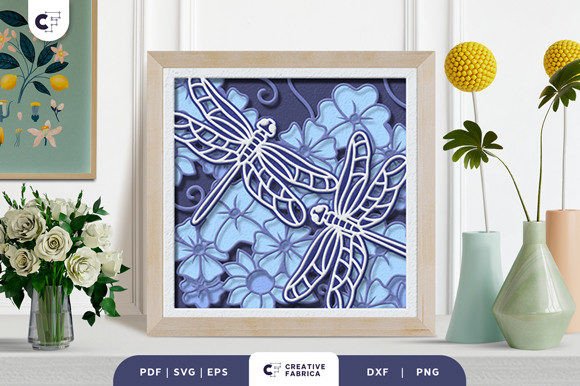
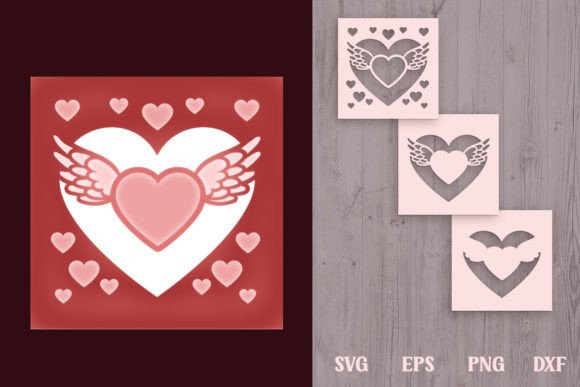
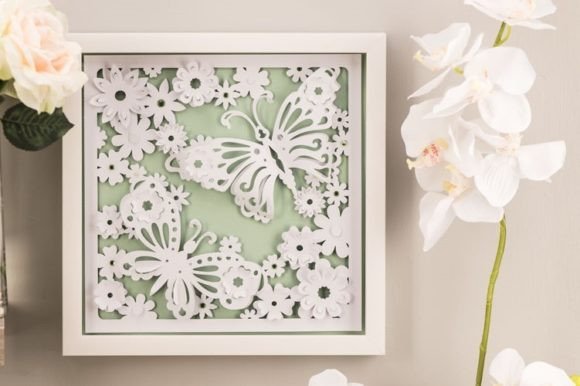
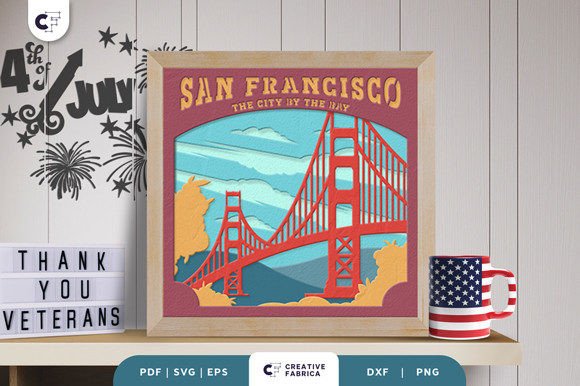
At its core, this project is a digital template that allows you to create a physical 3D representation of one of America's most recognizable skylines. The design relies on depth and shadow to create its visual impact. By stacking seven distinct layers of cardstock, you build a scene where foreground elements like street lamps or rolling hills sit closer to the viewer, while the distant bay and bridges recede into the background. This technique, known as paper layering, mimics the way our eyes perceive distance in the real world, resulting in a piece of art that changes appearance depending on the angle of light hitting it.
Why This Template Stands Out for Creators
The appeal of the San Francisco City by the Bay Shadow Box lies in its versatility and accessibility. Unlike complex illustrations that require advanced drawing skills, this template handles the heavy lifting of design for you. You receive the artwork in multiple formats—SVG, PDF, EPS, PNG, and DXF—ensuring compatibility with almost any tool in your workshop. If you own a Silhouette Cameo or a Cricut machine, the SVG file allows for precise, automated cutting that saves hours of manual labor. However, the design is equally forgiving for those who prefer traditional methods. With a steady hand, a sharp art knife, and a pair of scissors, you can achieve the same beautiful results without investing in expensive electronics.
The dimensions of the project are another practical feature. Sized at 20.32 × 20.32 cm (approximately 8x8 inches), it fits perfectly into standard small frames or shadow boxes found at most craft stores. This square format is ideal for creating gallery walls where multiple cities or themes can be displayed together without looking cluttered. Furthermore, the file is resizable. As long as you maintain the aspect ratio to prevent distorting the buildings and bridges, you can scale the design up for a statement piece or down for a delicate gift tag or ornament.
From Wall Decor to Glowing Night Lights
One of the most exciting aspects of working with layered paper templates is the ability to experiment with lighting. While the San Francisco City by the Bay Shadow Box looks magnificent as a standard framed decoration relying on ambient room light, it truly comes alive when converted into a light box. By inserting a thin strip of battery-operated LED lights between the layers during assembly, you create a glowing silhouette effect. The light filters through the negative spaces of the cut layers, highlighting the intricate details of the Golden Gate Bridge and the texture of the paper.
This dual functionality makes the project highly valuable for different contexts. For homeowners, it serves as sophisticated decor that captures travel memories or a love for the West Coast. For entrepreneurs and small business owners, these shadow boxes are excellent products for online marketplaces. Handmade, localized art sells well to tourists and expats looking for a piece of home. Educators can also utilize this template in geography or art classes to teach students about perspective, layering, and the architectural history of San Francisco in a tactile, engaging way.
Essential Materials and Assembly Tips
To ensure your final product looks professional, the choice of materials matters significantly. The preview images for this template often feature Encore Cardstock 80 lb cover (216 gsm). This weight is crucial because it is thick enough to hold its shape without warping under the weight of upper layers, yet thin enough to be cut cleanly by most machines. Using paper that is too thin may result in a flimsy structure where the layers collapse, while paper that is too thick might be difficult to cut or glue neatly.
When assembling your shadow box, patience is your best tool. You will need a strong adhesive, such as double-sided tape or a high-quality craft glue. Double-sided foam tape is particularly effective as it creates consistent spacing between layers, enhancing the 3D effect. Start from the back layer and work your way forward, ensuring each piece is aligned perfectly before pressing it down. Misalignment in the early stages can compound as you add more layers, throwing off the entire perspective of the city skyline.
It is also important to manage expectations regarding color. The digital files you download are outlines; the color comes entirely from the paper you choose. While preview images show specific hues to demonstrate depth, your actual result will depend on your cardstock selection. This is actually a creative advantage. You can choose a monochromatic blue palette to mimic a foggy morning, warm sunset tones for a golden hour vibe, or even stark black and white for a modern, graphic look. Just remember that lighting conditions in your display area will affect how these colors appear once the box is finished.
Ideal Uses for Gifting and Commercial Projects
Beyond personal enjoyment, this template solves a common problem for gift-givers: finding something unique and heartfelt. A handmade shadow box of San Francisco makes an incredible housewarming gift for friends moving to the Bay Area, a farewell present for someone leaving the city, or a memorable anniversary keepsake for couples who met there. Because the assembly process requires time and care, the recipient immediately recognizes the effort and sentiment behind the gift.
For freelancers and marketers, offering custom shadow boxes can be a lucrative niche. You can offer variations based on client preferences, such as changing the paper colors to match a brand's identity or adding personalized text layers if you have the skill to modify the SVG files. The availability of the design in DXF and EPS formats means that users with vector editing software can tweak the design slightly to add names, dates, or specific landmarks before cutting.
Before diving in, keep in mind that while the template is beginner-friendly, the assembly requires a clean workspace. Dust and glue smudges are more visible on the crisp edges of cut paper. Take your time with the weeding process (removing excess paper from inside the cuts) to ensure the fine details of the bridge cables and building windows remain intact. With the right preparation and a bit of creativity, the San Francisco City by the Bay Shadow Box becomes more than just a craft project; it becomes a lasting tribute to one of the world's most beautiful cities.